
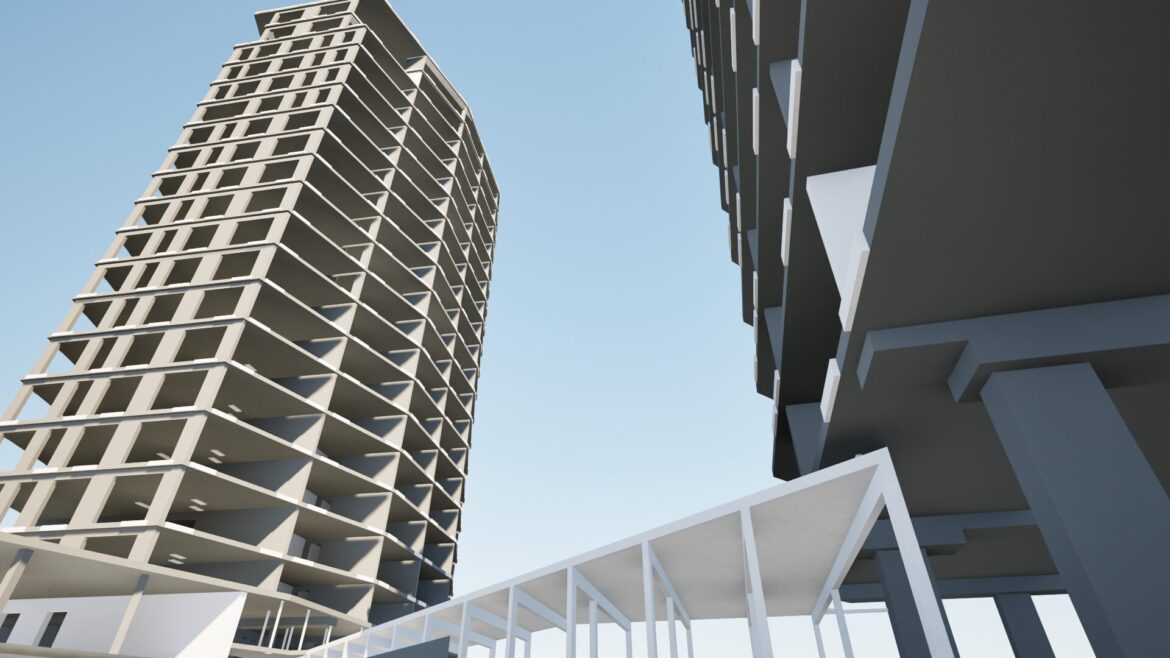
3D Modellieren in Construction: The Complete Guide to BIM Modeling
Overview
3D modeling in construction is no longer a visualization tool, it is a core engineering process that defines how a project is designed, coordinated, quantified, and ultimately built. In modern workflows, creating a model is not just about geometry, it is about structuring reliable data that drives reinforcement detailing, material takeoffs, construction sequencing, and on-site execution.
When approached correctly, a 3D model represents a controlled and data-driven workflow where all disciplines operate within a coordinated environment, reducing uncertainty and eliminating costly rework.
When approached incorrectly, it becomes just another 3D drawing with no real impact on project delivery.
The difference lies not in the software, but in how the model is structured, validated, and used as the primary source of coordinated project information throughout the entire construction lifecycle.
What Is 3D Modellieren in Construction And Why Your Projects Suffer Without It
At its core, 3D modeling in construction is the process of creating a digital representation of a building or infrastructure project and far more than just visualization. A quality 3D model contains:
- geometry and spatial relationships
- material data
- information about the schedule and costs
It is not an image of a building, it is its working description. Unlike visualization, a functional 3D model explains how a building is built, in what sequence, from what materials, and where each element sits in relation to the others.
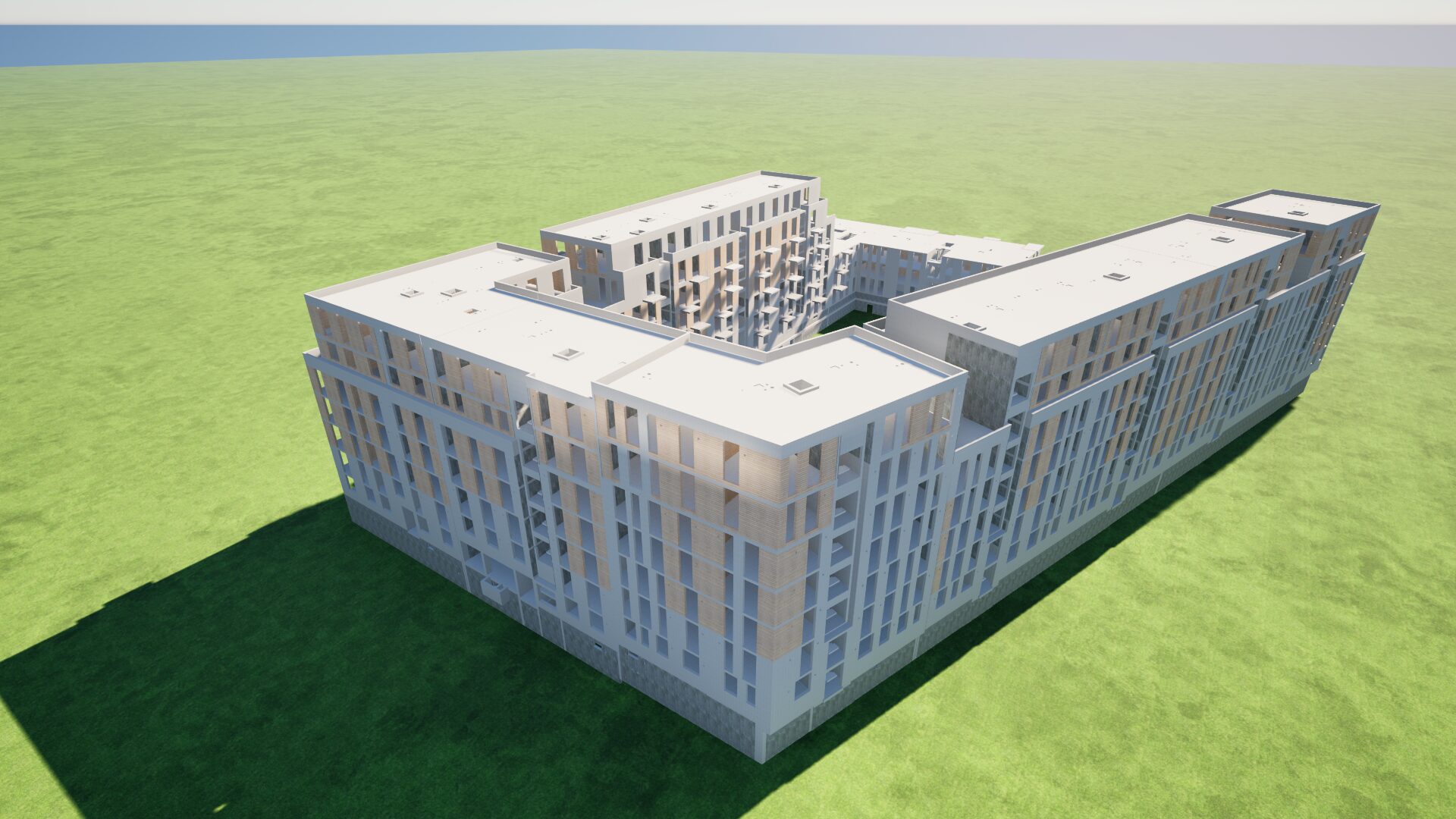
If that data is missing or unreliable, the model quickly becomes just another drawing in 3D. That is where coordination becomes critical, when all discipline models are combined, clashes can be identified and problems resolved in advance.
But coordination is not just clash detection, it involves continuous communication, cross-discipline meetings, clearly defined responsibility so that all issues are resolved before materials are ordered and work begins on site.
Particular attention should be given to RFIs (Requests for Information). In practice, a quality model quickly exposes gaps in the input data:
- dimensions are missing
- details are underdeveloped
- specifications are contradictory
Instead of resolving these issues on site, the team identifies them in advance, reviews the documentation, and uses RFIs to request clarification while there is still time to make corrections.
If something is unclear in the model, it will be even less clear on site.
That is why an RFI is a critical quality control tool that ensures what gets built is well-defined, fully developed, and actually buildable.
Without this approach, a real project will face:
- Clashes are discovered during construction, not before.
- Scheduling is based on experience and estimation, not on data from the model.
- Quantities are extracted manually and often off by as much as 10%.
- Different disciplines arrive with different drawing versions and different assumptions.
Most importantly, questions that should have been resolved weeks earlier are now being answered under pressure on site, where every delay has a direct cost. The model exists to prevent all of this, but only if built correctly, verified through coordination and RFIs, and treated as the single source of truth.
Types of 3D Models: Which One Do You Actually Need?
Not every 3D modeling approach serves the same purpose, and choosing the wrong one for a given phase or discipline is one of the most common sources of wasted time on complex projects.
BIM modeling is the foundation of professional construction workflows, and when done right, it’s fully parametric, a true digital twin where walls know their fire rating, columns their load capacity, and pipes their diameter and flow direction
In structural workflows it often becomes a production model too, driving shop drawings, rebar schedules, NC files, and site data. This is why LOD 400 from the start is frequently the only realistic option before the first bar is ordered.
- shop drawings
- rebar schedules
- NC files
- site data
Geospatial and terrain modeling integrates GIS data, drone surveys, and lidar point clouds. Before a foundation is designed, the ground it sits on needs to be precisely understood.
Polygonal and spline modeling handles organic forms that don’t fit BIM logic, curved facades, sculptural roof structures, custom cladding. These models are typically built in Rhino and then referenced into the BIM environment.
Levels of Development (LOD): From Concept Sketch to As-Built
If there is one topic that causes more confusion on BIM projects than any other, it is LOD.
The simplest way to think about it: LOD 100 represents a rough concept of the structure, while LOD 500 is a precise digital record of everything that has actually been built.
- LOD 100 – Conceptual mass. Early feasibility only.
- LOD 200 – Approximate geometry. Elements recognizable, not yet accurate.
- LOD 300 – Accurate geometry. Most architectural coordination happens here.
- LOD 400 – Fabrication-level detail. Standard for structural and reinforcement work.
- LOD 500 – As-built. Verified on site.
For structural BIM, LOD 400 means precise geometry for every element with full parametric data:
- dimensions, position, material
- finish specification
- reinforcement
The model is actively worked: architectural designs are broken down into construction components, walls split by construction logic, junction details and built-in elements incorporated.
LOD directly affects budget and timeline. The most common mistake is a silent shift in expectations: the project starts as LOD 300, but the moment reinforcement or construction sequencing enters the picture, requirements quietly climb to LOD 400, with no adjustment to time or budget.
The fix: LOD should be specified by element, by discipline, and by phase. And that belongs in the contract.
Key Benefits of 3D Modeling With Numbers
The greatest strength of BIM is that it brings all disciplines under one model, architecture, structure, MEP, making all problems visible at once. Clashes are detected before they exist on site.
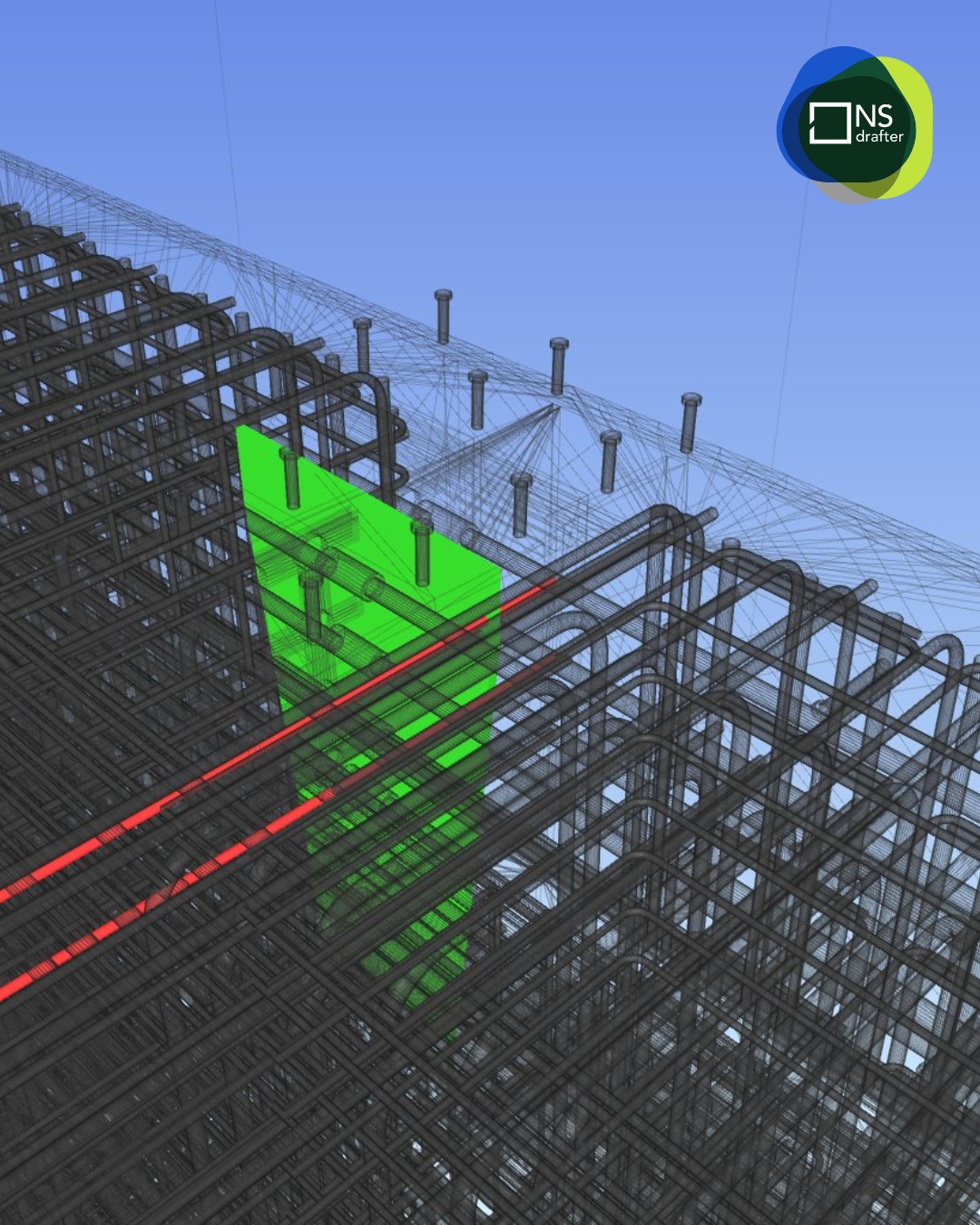
Multiple studies, consistently show that teams working in a BIM environment record significantly lower costs related to rework and on-site errors. The principle is clearer than any single figure – a problem resolved in the model costs almost nothing. A problem discovered on site costs weeks and serious money.
When everyone is looking at the same coordinated 3D model, decisions are made with full spatial understanding, not through 2D drawings. The client sees what they are approving, the contractor sees what they are building. Once all parties are aligned, everything that follows becomes easier, procurement, phasing, and progress monitoring on site.
Material accuracy is the financial benefit that rarely gets enough attention
When all reinforcement, formwork, and finishes exist within one model, there is no need to search through drawings from previous floors or previous projects to piece together what was used. Precise quantity takeoffs generated from a well-structured 3D model:
- reduce both over-ordering and under-ordering,
- and centralized tracking of all element data makes procurement and logistics straightforward.
When a model is structured correctly, it becomes directly usable on site. Instead of interpreting drawings, teams rely on consistent data coming from the model, which reduces errors, especially on complex elements such as reinforcement or phased construction.
Safety planning through model-based construction sequencing allows teams to identify hazards before they exist physically:
- scaffold placements,
- crane paths,
- phasing conflicts,
- confined spaces.
Software: The Right Tool for the Right Job
There is no single BIM software that does everything, and that is perfectly fine. Professional work in structural engineering and construction has always relied on a combination of tools, each used for what it does best, all connected today through cloud platforms that enable collaboration across different disciplines and offices regardless of physical location.
Core modeling software:
| Software | Primary Use | Complexity |
|---|---|---|
| Autodesk Revit | BIM modeling, multi-discipline coordination | Advanced |
| Allplan | Structural BIM modeling, reinforcement and formwork planning | Advanced |
| Tekla Structures | Structural detailing, reinforcement, fabrication | Advanced |
| Rhino + Grasshopper | Complex geometry, parametric design | Advanced |
Cloud collaboration platforms:
| Platform | Connected To |
|---|---|
| Autodesk Construction Cloud (ACC / BIM 360) | Revit, multi-discipline |
| Allplan Connect | Allplan |
| Trimble Connect | Tekla, multi-discipline |
The cloud platforms are where the real coordination happens. Models from different disciplines and different offices are uploaded, overlapped, and clash-checked in a shared environment. Not everything needs to come from one office or one software what matters is that the data is compatible and consistently structured.
The most efficient firms are not necessarily the ones using the most advanced tools. They are the ones that have defined clear standards for how their tools connect, naming conventions, coordinate systems, export formats, model breakdown, and apply those standards consistently across every project.
Applications Across Every Project Phase
A 3D model is not a deliverable you produce once and hand over. It is a living asset that should be used and updated at every phase of a project. But it is important to be realistic about how phases actually work in practice, not just in theory.
- Pre-design is where drone mapping, lidar, and GIS integration provide accurate topography and site constraints before the first design decision is made.
- Design only works if the model is set up correctly from the start. Naming conventions, shared coordinates, and LOD targets must be agreed upon before modeling begins, not at the first coordination meeting when it turns out every discipline modeled their own origin point.
- Pre-construction is where the model starts generating direct financial value through quantity takeoffs, scheduling, and material procurement. But this is where honesty is needed: the contractor arrives last, when the design is largely done. And then the loop begins. Formwork, reinforcement, construction joints, everything gets adjusted and everything goes back into the model. This is not a failure. It is normal practice, and it is only manageable when everyone is working from the same coordinated model.
- Construction is where the model either proves its worth or gets abandoned. As-built updates and progress monitoring require a model that was maintained throughout the entire process, not one finalized six months ago and never touched again.
- Facility management is the most underserved phase in the industry. A LOD 500 as-built model is one of the most valuable documents a building owner can have. Most projects never deliver it, because no one planned for it from the beginning.
AI in Construction: A Honest Look at Where Things Actually Stand
AI in construction is real, and it is already being used on large projects, automated clash detection, quantity extraction from complex geometry, converting point cloud scans into structured BIM elements. The direction is clear and the potential is significant.
But it is also worth being honest with yourself and with the industry. AI is not replacing engineers, but it is already reducing the volume of repetitive work. Clash checking, quantity extraction, converting scans into models, all of this is becoming faster and more automated, which shifts the focus toward decision-making and model quality.
The challenge is not the tools. The challenge is the industry itself.
Construction has always been one of the slowest industries to adopt new technology. Even BIM took years to gain real traction, AI will be no different. The reason is simple: our industry spans an enormous number of disciplines, each with its own workflows, software, and generational relationship with digital tools.
Getting all of those disciplines to model in compatible, coordinated ways is a far bigger problem than introducing an AI tool. Many firms still rely on older workflows, particularly where senior engineers set the standard. And when the inputs are inconsistent, no AI tool produces reliable outputs.
For now, AI is best understood as a future direction rather than a present-day standard for most firms in this industry. We are already seeing early signals of this, Trimble released AI Cloud Fabrication Drawings as a preview feature in Tekla Structures.
The firms that will benefit most are the ones building clean, well-structured BIM models today, because those models are what AI needs to work with. In that sense, getting your 3D modeling workflow right is not just good practice for today. It is preparation for what comes next.
Common Mistakes Companies Make When Adopting 3D Modeling
The difference between firms that get results from 3D modeling and those that don’t rarely comes down to technology. It almost always comes down to process and realistic expectations.
Software is not implementation. Buying Revit or Allplan licenses does not make a firm a BIM firm. The software is only as useful as the workflow it sits inside, and building that workflow takes time, repetition, and honest evaluation of what is actually working.
Firms revert to old habits. Many try BIM, see real benefits, but give up before the process matures. The reason is not the technology, it is an underestimated transition period. The firms that succeed are those who accept the learning curve and commit to it.
Without coordination, the model becomes useless. When each team models at a different level of detail, with different naming conventions and coordinate systems, the federated model has no value. Rules must be agreed upon before modeling begins.
Clash detection without ownership resolves nothing. Issues are identified, meetings are held, but without clear responsibility the same problems end up being solved on site instead of in the model. Every clash needs an owner and a resolution tracked to completion.
Skipping the as-built phase is the most expensive mistake. The cost of maintaining a building based on inaccurate documentation over its lifetime far exceeds the cost of capturing accurate model data during construction.
Practical Roadmap: How to Start
Adopting BIM doesn’t require a firm-wide transformation on day one, it requires the right software, proper training, and a team that owns the process.
For structural work, Revit, Allplan, or Tekla are the industry standards. Allplan and Tekla are particularly strong for reinforcement and formwork workflows. Don’t use unfamiliar tools on a live project.
Training is non-negotiable. The transition period is where most firms give up, projects run over schedule, outputs aren’t yet polished, and the temptation to fall back on proven methods is real. Proper training combined with vendor support shortens this period significantly.
The team that owns the process is what makes it all work. Even small teams achieve strong BIM results when the workflow is clearly defined from the start, consistency in naming, structure, and data matters more than the number of tools. Give the right people space to build the templates, LOD standards, and RFI process, then document everything.
Start with one pilot project. The template is never finished, the workflow is always improving. That’s not a problem, that’s how the best BIM teams operate.
3D modeling delivers value only when it is treated as an operational system, not a visual deliverable. A properly structured model connects design intent, reinforcement detailing, material quantities, and construction logic into a single, coordinated workflow that supports decision-making at every stage of the project.
Adopting a “3D Modell erstellen” mindset means shifting from drawing-based thinking to data-driven execution. It requires clear standards, defined responsibilities, and consistent model validation, but the result is measurable: fewer clashes, controlled costs, accurate quantities, and predictable project delivery.
In an industry where margins are tight and errors are expensive, the ability to rely on a coordinated 3D model is no longer a competitive advantage, it is a requirement. The firms that recognize this are not just improving their workflows, they are redefining how construction projects are delivered.
FAQ
Q: What is the difference between 3D modeling and BIM modeling in construction?
A: 3D modeling focuses on the geometric representation of a structure, while BIM modeling includes both geometry and data such as materials, quantities, and scheduling. In practice, BIM modeling is an advanced form of 3D Modellieren in Construction, where the model becomes a central source of information for the entire project lifecycle.
Q: Why is 3D modeling important in modern construction projects?
A: 3D modeling allows teams to identify clashes, improve coordination, and generate accurate quantities before construction begins. When teams treat modeling as a structured “3D Modell erstellen” process, it significantly reduces rework, delays, and unexpected costs on site.
Q: How does AI improve 3D modeling in construction?
A: AI in construction helps automate repetitive tasks such as clash detection, quantity takeoffs, and converting scans into BIM models. In combination with 3D modeling AI tools, engineers can focus more on decision-making and less on manual drafting, improving both speed and accuracy.
Q: What software is best for 3D modeling in construction?
A: The most widely used tools include Revit, Allplan, and Tekla Structures for BIM modeling, while Rhino is often used for complex geometry. The key is not just the software, but how effectively it supports your 3d modeling workflow and integrates with other disciplines.
Q: At what stage should 3D modeling be implemented in a project?
A: 3D modeling should start in the early design phase and continue through construction and as-built documentation. The earlier a structured 3d model erstellen approach is implemented, the greater the impact on cost control and coordination.
Q: Is 3D modeling only useful for large projects?
A: No. While large infrastructure projects benefit the most, even smaller residential or commercial projects gain value from improved coordination, accurate quantities, and better communication through 3D modeling.
Q: What is the biggest mistake companies make with 3D modeling?
A: The most common mistake is treating the model as a visual output instead of a working system. Without proper structure, coordination, and ownership, even advanced 3D modeling in construction delivers little real value.
About Us
NS Drafter specializes in BIM modeling, rebar detailing, steel detailing and construction documentation for residential, commercial, and complex infrastructure projects. Our teams work across Revit, AutoCAD (ArmCAD), Tekla and Allplan, delivering models and plans depending on project requirements.
Ready to improve your BIM modeling workflow or start your first fully modeled project? Get in touch and let’s talk about where to start.
