
Allplan for Reinforcement and Formwork Plans: Key Advantages and Limitations
Introduction
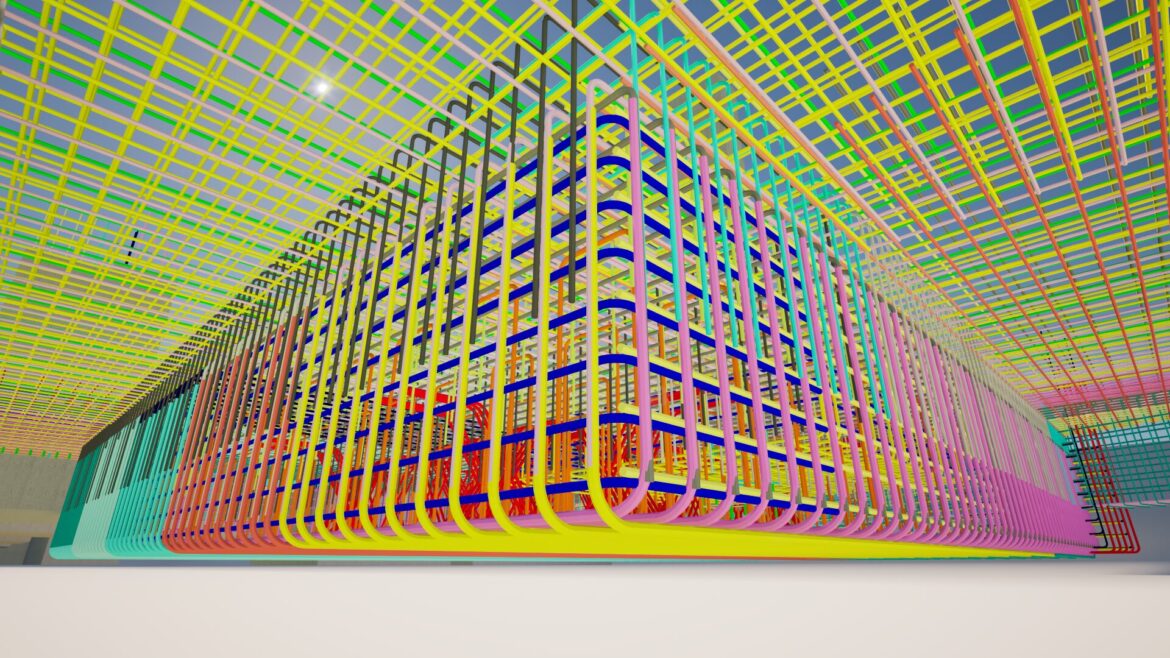
In project planning, the choice of software directly affects speed, drawing quality, model control, and team coordination. Allplan for reinforcement and formwork plans, BIM workflows, and precast-related modelling remains a strong option for structural engineering, because it combines design, drafting, and construction-oriented processes in one environment.
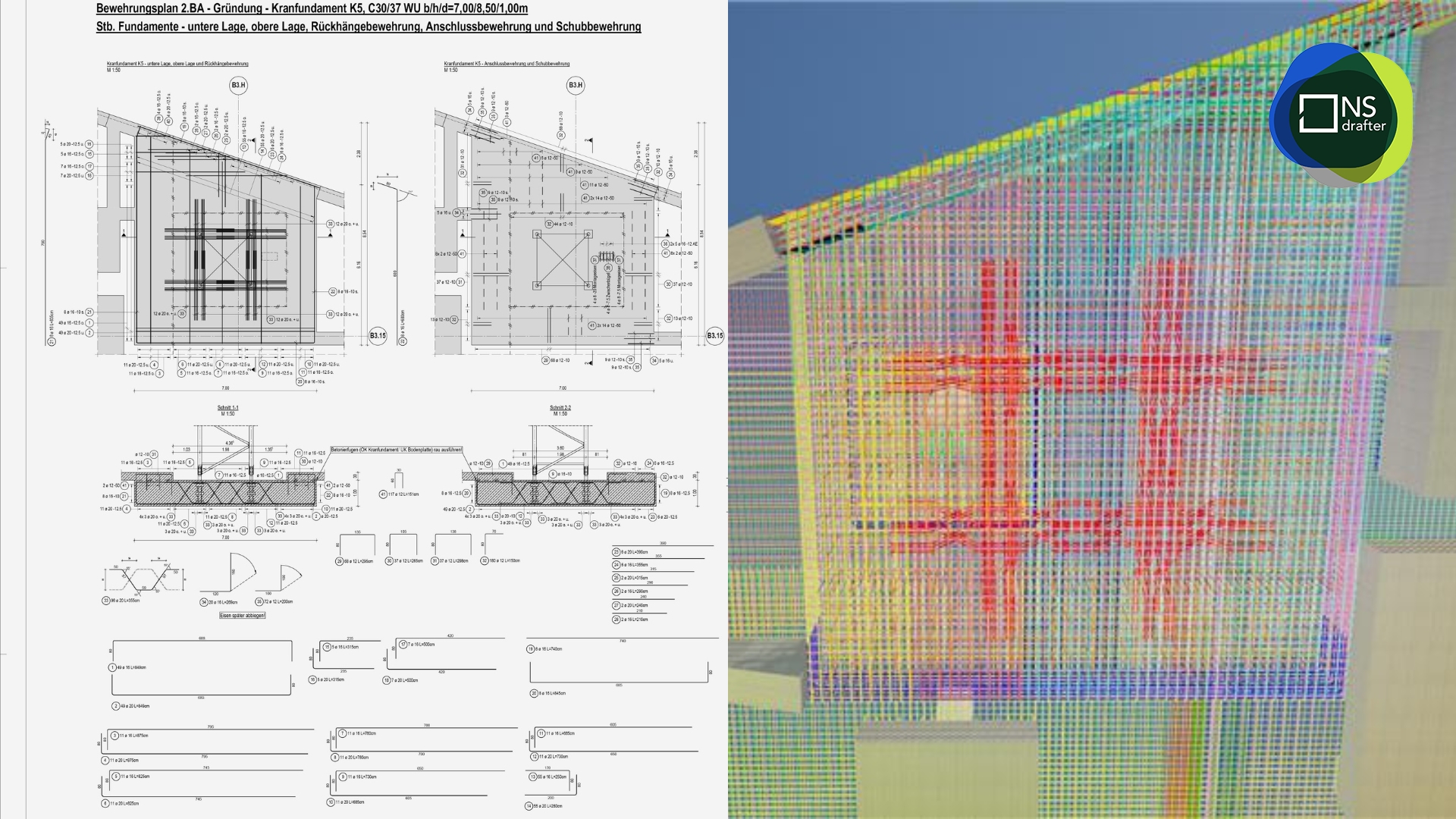
In day-to-day production work, Allplan is especially useful for teams that want fast onboarding, standardised project setup, internal automation, and reliable model checking. At the same time, it has several limitations that become more visible on projects with frequent changes to the formwork model or in workflows where architectural input usually comes from other software platforms.
For reinforcement teams, Allplan can be a very efficient environment when the workflow is clearly organised. Its value does not come only from modelling tools, but from the way teams can build repeatable systems around templates, custom tools, and structured project setups.
Fast learning curve for new users
One of the strongest advantages of Allplan is that many users can become productive relatively quickly. That matters a lot for companies that regularly train new drafters, modelers, or engineers for reinforcement and formwork plans.
A software platform that is easier to learn reduces onboarding time and helps teams grow without losing too much productivity. Many reinforcement teams also evaluate platforms based on training speed and production efficiency.
A broader comparison of commonly used detailing platforms like Revit and Tekla can be found in one of our blogs.
Of course, advanced work in reinforcement modelling, BIM coordination, and custom setup still requires experience. But the transition from beginner to daily production user is often smoother than in many other complex structural software environments.
Project templates improve consistency and speed
Another major advantage of Allplan is the ability to create project templates and reusable internal tools. This is one of the most valuable features for companies that want consistent standards across reinforcement plans, formwork plans, construction drawings, modelling logic, layers, attributes, and print outputs.
Instead of starting every project from zero, teams can work from predefined templates that already contain the correct project structure. This makes the workflow faster, cleaner, and easier to control. It also reduces mistakes caused by inconsistent setup between users or across projects.
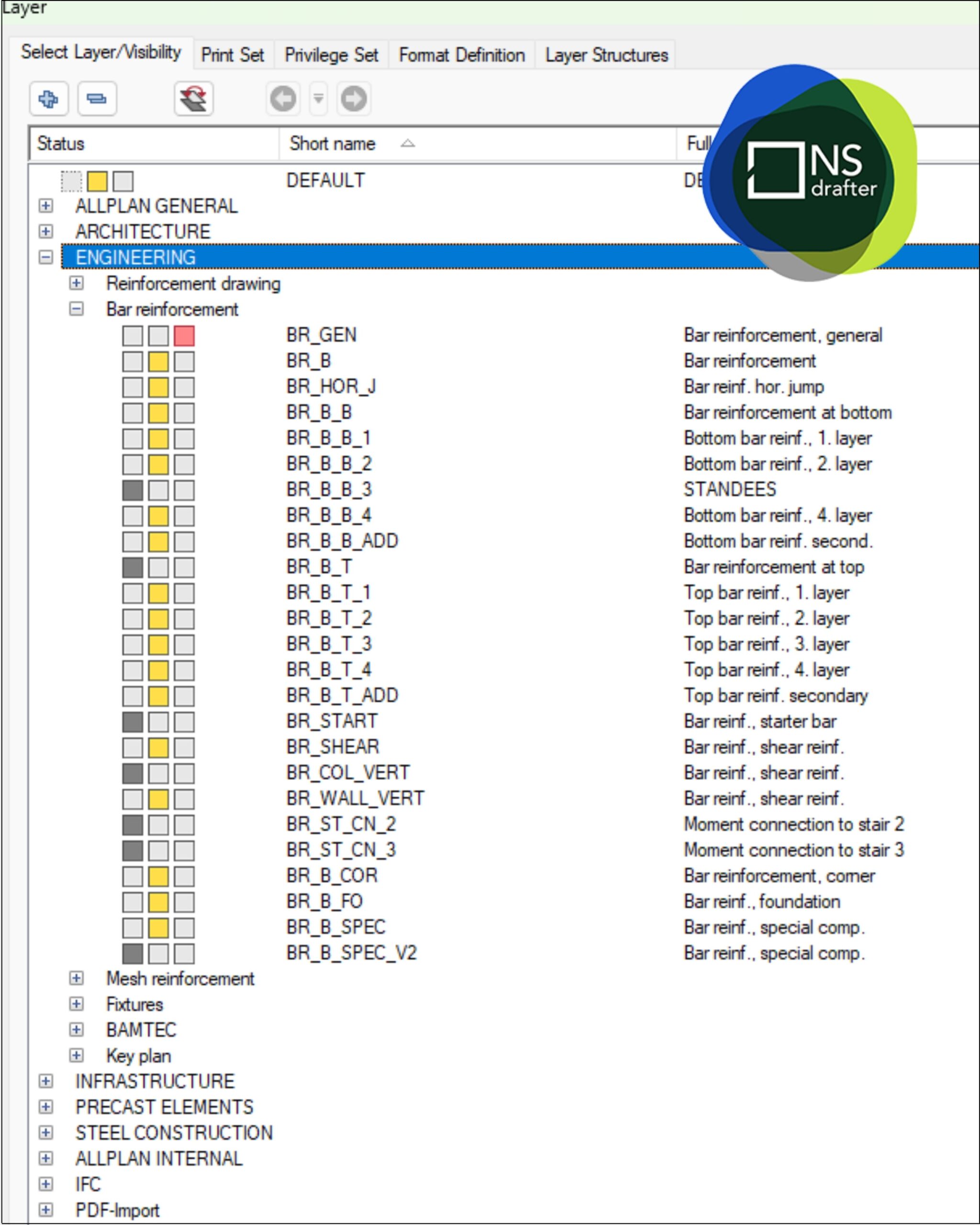
For reinforcement teams, templates are a productivity system.
Once a company has a well-prepared template, every new project begins with the same logic, the same layer organisation, the same drawing standards, and the same internal rules. That improves quality control, handover quality, and overall project stability.
Automation through wizards and PythonParts
Allplan also offers strong automation potential through custom tools, wizards, and PythonParts. These tools allow engineers and detailers to create parametric reinforcement elements and automate repeated modelling operations. A technical overview of these capabilities is available in the documentation on PythonParts automation in Allplan.
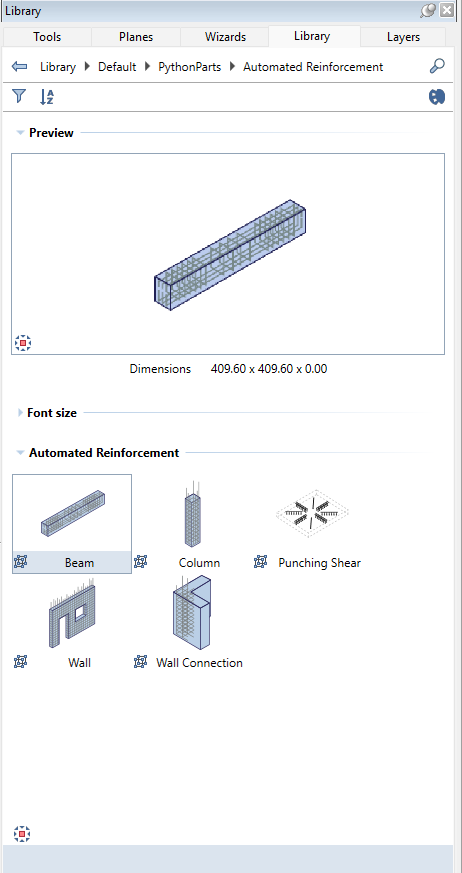
This matters because reinforcement planning often includes repeated logic, repeated reinforcement patterns, and standard structural details. When those repeated operations can be partially automated, teams save time and reduce manual work.
Automation is especially valuable in offices that handle similar reinforced concrete structures again and again. It allows company know-how to be built into tools rather than remaining only in the heads of experienced users. Over time, that creates a more scalable workflow, better consistency, and stronger production speed.
For reinforcement teams, this is one of Allplan’s most important long-term advantages.
Clash detection supports easier checking of the reinforcement model
Model checking is another area where Allplan performs well. One of its practical strengths is the relatively straightforward checking of the reinforcement model through clash detection.
In practical terms, this helps detailers and engineers verify congested reinforcement zones, identify modelling conflicts earlier, and detect issues before drawings are issued. On real projects, clash checking supports better internal review and reduces the risk of issuing reinforcement drawings with hidden coordination problems.
This is particularly useful in beam-column joints, walls with dense reinforcement, prefabricated elements, and other reinforced concrete components where space is limited and reinforcement layouts can quickly become difficult to control visually.
Clash detection does not replace engineering judgement, but it adds a very useful control layer. In BIM-based reinforcement workflows, clash detection is often part of a broader checking process that includes model validation and interdisciplinary coordination. We explored this workflow in more detail in our article about BIM coordination and model validation process.
Simple collaboration within the same project
Another practical advantage is collaboration. Allplan allows multiple users to work within the same project environment in a relatively straightforward way, including sharing sheets and organising work across the same project structure.
For many reinforcement teams, the value here is not only in formal collaboration tools, but also in the practical ability to organise several users around the same project logic. Teams can divide work clearly, coordinate drawings more easily, and maintain a shared production environment without building an unnecessarily complicated external system.
This kind of setup is especially useful in offices that want a direct and efficient workflow. Not every project requires a complex online platform. In many cases, what matters more is having a stable shared structure, reliable internal access, and a project setup that allows multiple users to contribute without confusion.
For daily work on reinforcement plans and formwork plans, that is a meaningful advantage.
Main limitation
The biggest weakness from a reinforcement planning perspective is that reinforcement is not adaptively linked to the formwork model in the way many teams would prefer.
In practice, each reinforcing bar or bar series behaves as its own entity. That means changes in formwork often require manual reinforcement updates rather than a more intelligent automatic adjustment. This becomes a real disadvantage on projects with frequent revisions, changing concrete geometry, or unstable design input.
The result is more manual correction, more checking, and a greater risk that part of the reinforcement remains out of sync with the updated structure. In a high-change environment, this can slow down production and increase the amount of repetitive editing work.
This limitation does not make Allplan unsuitable. However, it does mean the software performs best when the geometry is reasonably stable and when the reinforcement team receives coordinated and reliable inputs.
When Allplan is the right choice
Allplan is a strong choice for reinforcement teams that value speed, standardisation, model control, and internal process development.
It works especially well for companies that want to train users quickly, build reusable templates, automate repeated detailing tasks, check reinforcement models more efficiently, and maintain structured collaboration across the same project environment.
Its strengths become even clearer in offices with established internal standards. When templates, libraries, layers, drawing logic, and checking procedures are already defined, Allplan becomes much more powerful as a production tool.
For teams focused on reinforcement plans, formwork plans, reinforced concrete structures, and BIM-based coordination, Allplan can be a very practical and reliable solution.
Conclusion
Allplan is a practical structural engineering software solution for reinforcement plans, formwork plans, and reinforcement modelling within a BIM workflow. Its strengths include a relatively fast learning curve, strong template-based project setup, automation through wizards and PythonParts, effective clash detection, and stable collaboration within shared project environments.
Although reinforcement elements are not fully adaptive to formwork changes and interdisciplinary BIM workflows are sometimes limited by different software ecosystems, Allplan remains a reliable choice for organised teams. For companies focused on efficient reinforcement modelling, standardised processes, and BIM-based structural coordination, it can be a highly effective production platform.
FAQ
Q: Is Allplan easy to learn for reinforcement teams?
A: Allplan is generally easier to adopt than many highly specialised or more complex BIM environments, especially for users who need to become productive quickly in reinforcement modelling, reinforcement plans, and formwork plans.
Q: What is the biggest advantage of Allplan for reinforcement planning?
A: One of the biggest advantages is the ability to standardise work through project templates, reusable tools, and custom automation. This improves speed, consistency, and the quality of reinforcement drawings and construction drawings.
Q: Does Allplan support automation?
A: Yes. Through wizards, custom tools, and PythonParts, Allplan allows teams to automate repeated tasks, speed up modelling, and apply standard solutions more efficiently.
Q: Is clash detection useful in Allplan reinforcement projects?
A: Yes. Clash detection helps teams identify coordination problems earlier and improves checking of the reinforcement model, especially in dense or complex reinforced concrete elements.
Q: What is the main limitation of Allplan for reinforcement plans?
A: The main limitation is that reinforcement elements are not fully adaptive to changes in the formwork model. As a result, revisions often require more manual updates than teams would ideally want.
Q: Why can cross-discipline adoption still be a challenge?
A: Although Allplan supports structural and BIM workflows very well, many teams still receive architectural models from other software platforms. That adds import, coordination, and checking steps before the reinforcement planning process can continue smoothly.
